
Guitar Master1.0.1 - Google Play
You'll be able to see results in few seconds.
Publisher Description
EUMLab's Guitar Master is coming to Android!
In order to help more people learning guitar with best tools, we've just released Guitar Master Android with the basic chord and scale search functions, more features are under developing!
Guitar Master Android provided:
1. 108 different scales, from Jazz to Japanese!
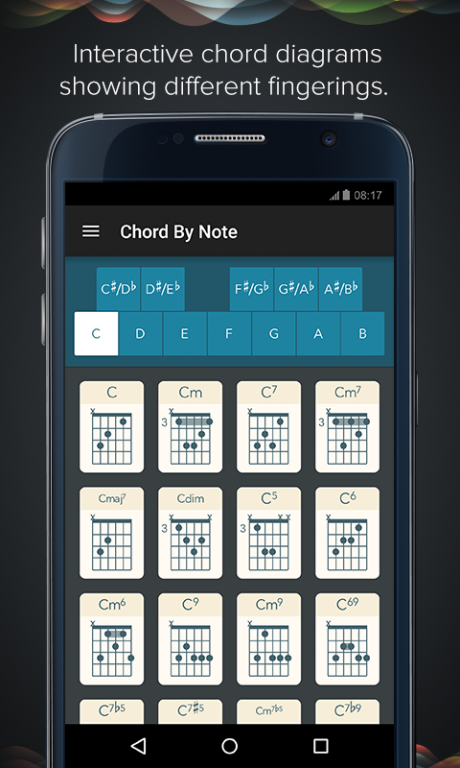
2. Interactive chord diagrams showing different fingerings.
3. Sort chords using the Circle of Fifths.
4. Instant transposition across the entire chromatic scale.
>>> Scales
Scales are important for any guitarist. They are often central to different music styles and provide a roadmap for improvised solo and melody composition.
Our app contains 108 different scales, ranging from common Blues and Major/Minor scales to wacky Byzantine and Arabian scales!
>>> Interactive Guitar Chords
The chord tabs contain thousands of chords such as Major, Minor, 6, 7, Minor7, Major7, Major9, sus4, etc.
Not only can you see the tabs, you can also hear what they sound like.
You can look up a chord quickly by its name or find it based on the Circle of Fifths.
*We know that Guitar Master Android is far from perfect, and we'll keep improving it!
===About EUMLab===
EUMLab helps unleash your musical talent! With pioneering technology, EUMLab create sleek, beautiful products for both the professional and novice musician alike.
Find out more about us: EUMLab.com
Follow us on Twitter/Facebook: @EUMLab
Questions? Write us: feedback@eumlab.com
About Guitar Master
The company that develops Guitar Master is EUMLab - Xanin Technology GmbH. The latest version released by its developer is 1.0.1.
To install Guitar Master on your Android device, just click the green Continue To App button above to start the installation process. The app is listed on our website since 2015-07-27 and was downloaded 0 times. We have already checked if the download link is safe, however for your own protection we recommend that you scan the downloaded app with your antivirus. Your antivirus may detect the Guitar Master as malware if the download link to com.eumlab.guitarmaster is broken.
How to install Guitar Master on your Android device:
- Click on the Continue To App button on our website. This will redirect you to Google Play.
- Once the Guitar Master is shown in the Google Play listing of your Android device, you can start its download and installation. Tap on the Install button located below the search bar and to the right of the app icon.
- A pop-up window with the permissions required by Guitar Master will be shown. Click on Accept to continue the process.
- Guitar Master will be downloaded onto your device, displaying a progress. Once the download completes, the installation will start and you'll get a notification after the installation is finished.
Program Details
System requirements
Download information
Pricing
Version History
version 1.0.1
posted on 2015-07-27
Guitar Master Android provided:,1. 108 different scales, from Jazz to Japanese!,2. Interactive chord diagrams showing different fingerings.,3. Sort chords using the Circle of Fifths.,4. Instant transposition across the entire chromatic scale.
Disclaimer
Official Google Play Link
We do not host Guitar Master on our servers. We did not scan it for viruses, adware, spyware or other type of malware. This app is hosted by Google and passed their terms and conditions to be listed there. We recommend caution when installing it.
The Google Play link for Guitar Master is provided to you by apps112.com without any warranties, representations or guarantees of any kind, so access it at your own risk.
If you have questions regarding this particular app contact the publisher directly. For questions about the functionalities of apps112.com contact us.
